🌐 Networking for Beginners: DevOps
In this blog, we’ll understand:
Hub
Switch
Router
Gateway & Default Gateway
Modem & FTTH (ONU device)
Broadband & WiFi
Network Interface Card (NIC)
Firewall
VPN
VPC
DHCP
DNS
🧠 First: What is a Network?
A network is simply:
A group of devices connected together to share data.
Example:
Your laptop
Your phone
Your TV
All connected to WiFi
That’s a network.
🔌 Hub (Old Device)
📌 What is Hub?
A hub is a basic networking device that connects multiple computers.
🧠 Simple analogy
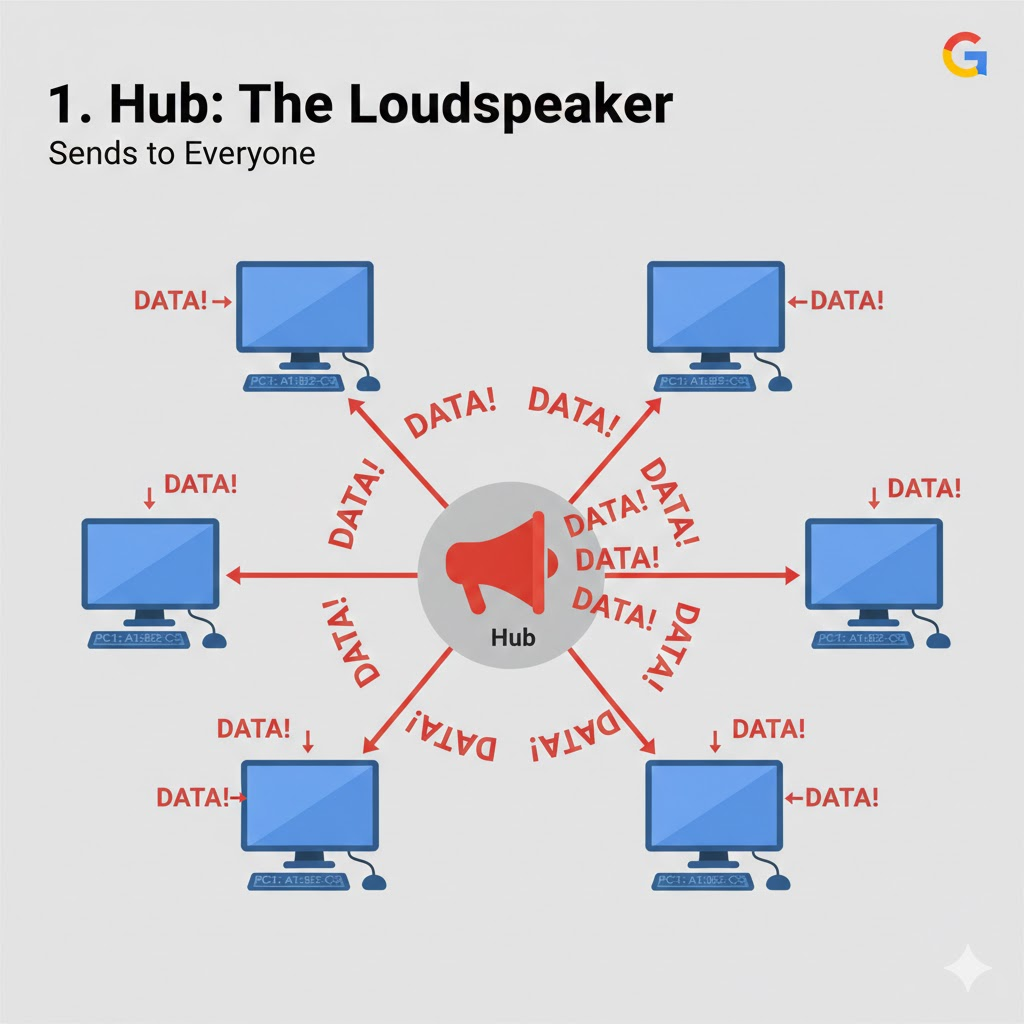
Hub is like a teacher shouting in a classroom.
If one student talks, everyone hears it.
🖼 Hub Diagram
🚫 Problem with Hub
Sends data to all devices
Not secure
Slow
That’s why hubs are not used today.
🔀 Switch (Modern Local Network Device)
📌 What is Switch?
A switch connects devices inside a network (like inside office or home LAN).
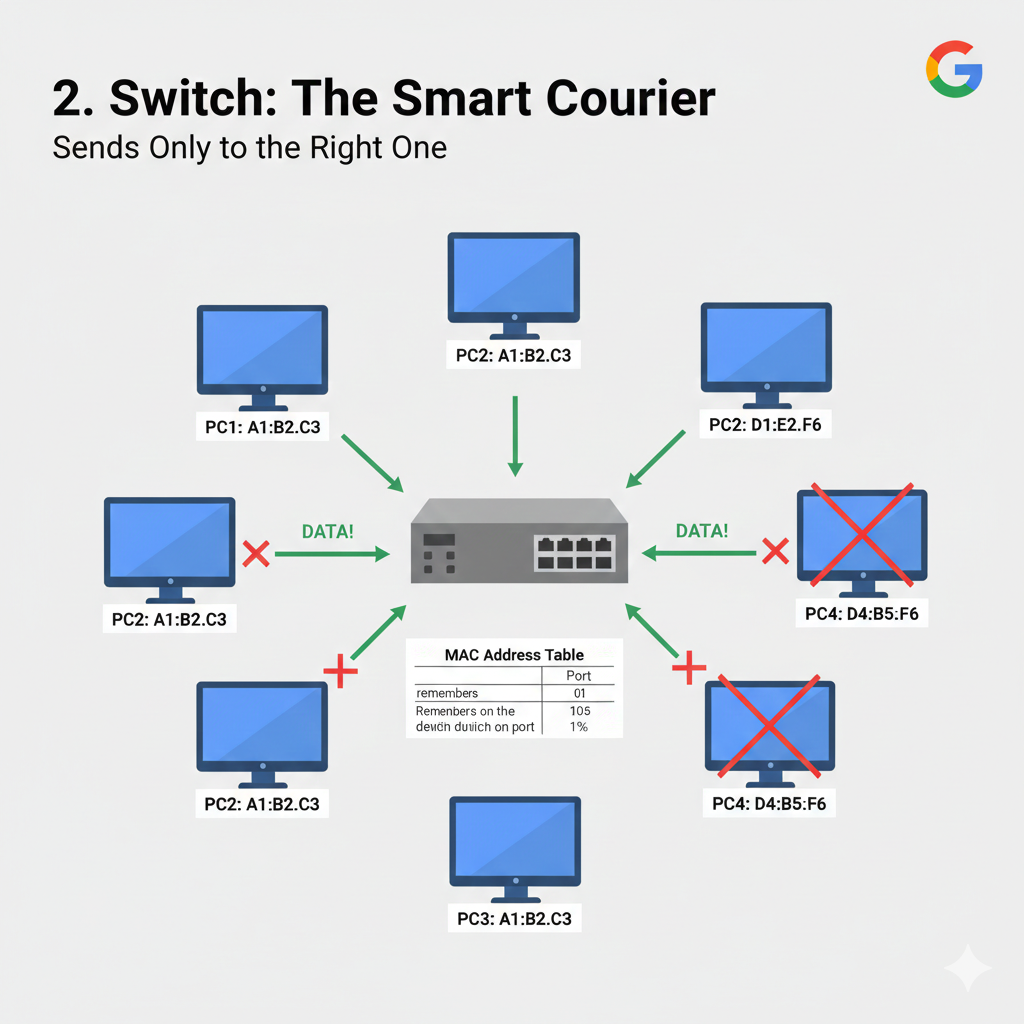
It sends data only to the correct device.
🧠 Simple analogy
Switch is like a courier service.
If you send a parcel to John, only John receives it — not everyone.
🖼 Switch Diagram
✅ Used in:
Offices
Data centers
Schools
🌍 Router
📌 What is Router?
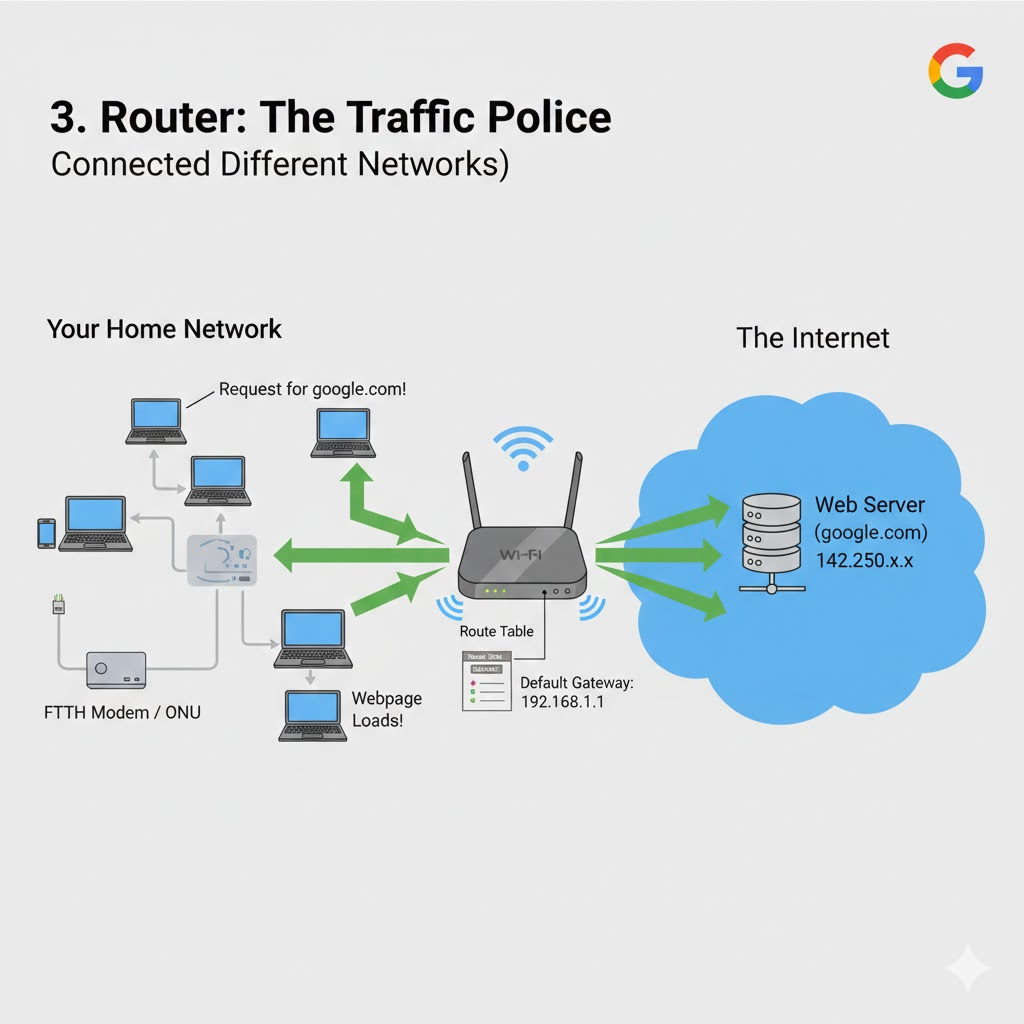
Router connects different networks together.
Example:
- Your home network → Internet
🧠 Simple analogy
Router is like a traffic police at a junction.
It decides:
Where data should go
Which path to take
🖼 Router Diagram
Real-time example
When you open:
google.com
Router sends your request to ISP → Internet → Google server.
🚪 Gateway & Default Gateway
📌 What is Gateway?
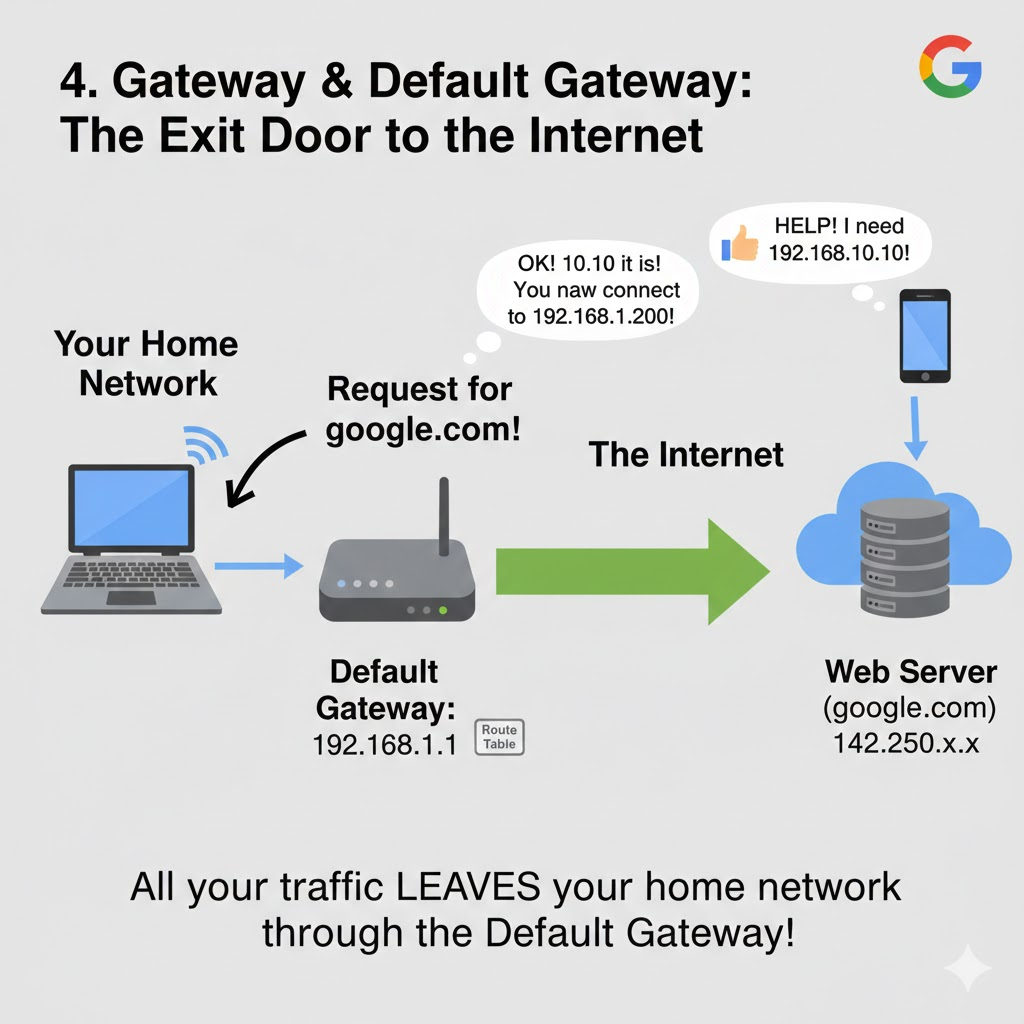
Gateway is a device that connects one network to another.
Usually your router acts as a gateway.
📌 Default Gateway
Default gateway is the IP address where your system sends traffic outside your local network.
Check it using:
ip route
Example output:
default via 192.168.1.1
Here:
192.168.1.1
is your default gateway.
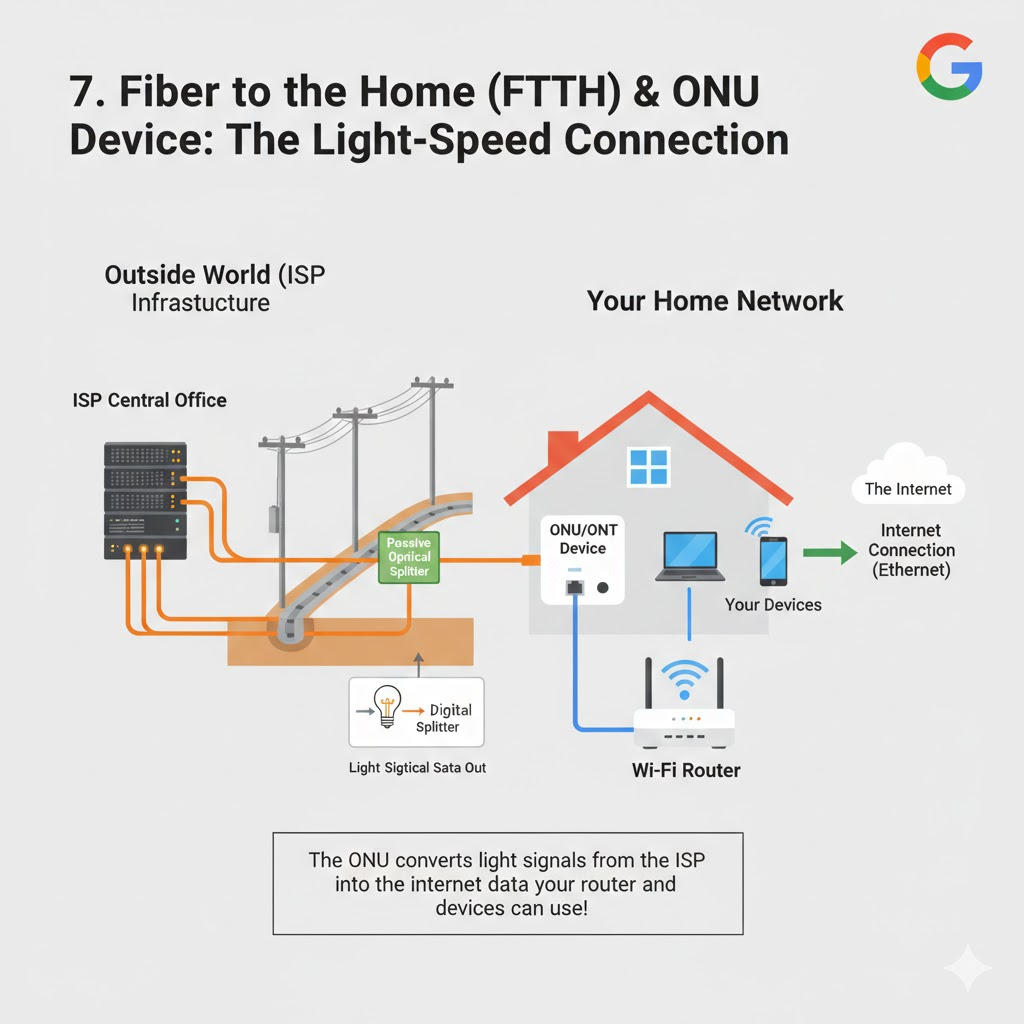
🌐 Modem & FTTH (ONU Device)
📌 What is Modem?
The modem converts ISP signal to digital signal for your router.
📌 FTTH (Fiber to the Home)
Modern homes use fiber connection.
Instead of a modem, we use:
ONU (Optical Network Unit)
This device:
Converts fiber light signals
Provides Ethernet & WiFi
🖼 FTTH ONU Diagram
📡 Broadband & WiFi
Broadband = High-speed internet connection.
WiFi = Wireless connection provided by router/ONU.
Your phone connects via WiFi → Router → Internet.
💻 Network Interface Card (NIC)
Every device has NIC.
It allows device to connect to network.
Check using:
ip addr
NIC example:
eth0
wlan0
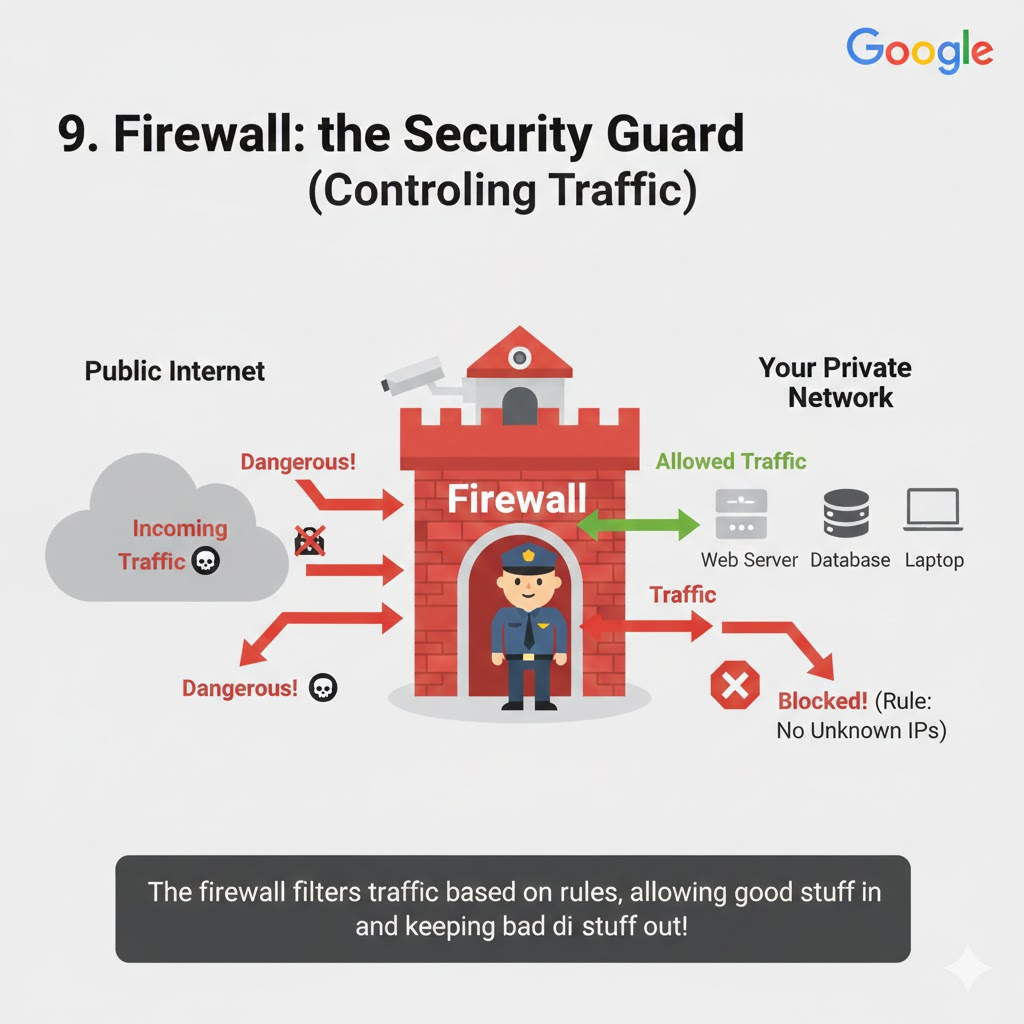
🔥 Firewall
Firewall controls network traffic.
It allows or blocks traffic based on rules.
🧠 Simple analogy
Firewall is like a security guard.
It checks:
Who can enter
Who should be blocked
🖼 Firewall Diagram
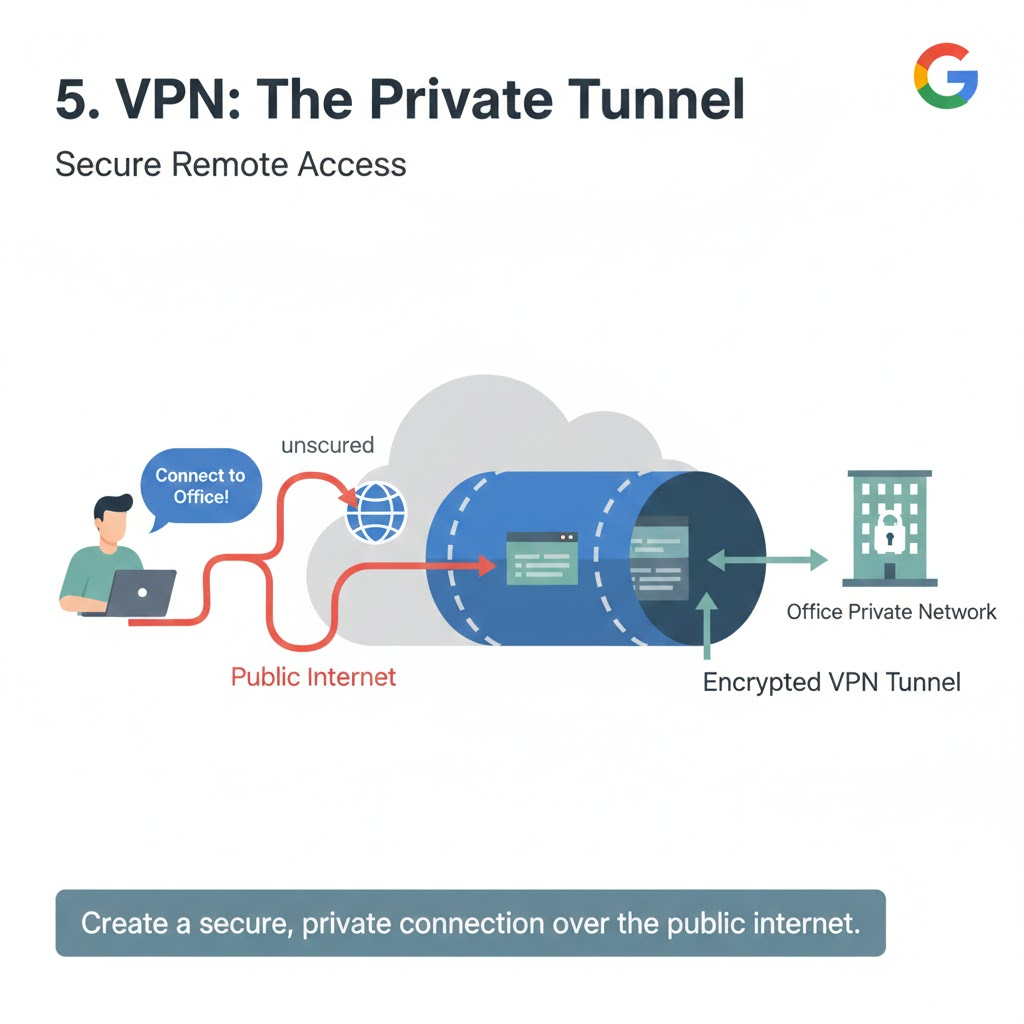
🔐 VPN (Virtual Private Network)
VPN creates a secure tunnel over the internet.
Used for:
Office remote access
Secure browsing
🧠 Analogy
VPN is like a private tunnel inside a public road.
🖼 VPN Diagram
☁️ VPC (Virtual Private Cloud)
Used in cloud platforms like AWS.
VPC is:
Your private network inside the cloud.
Inside VPC:
Subnets
Route tables
Security groups
🖼 VPC Diagram

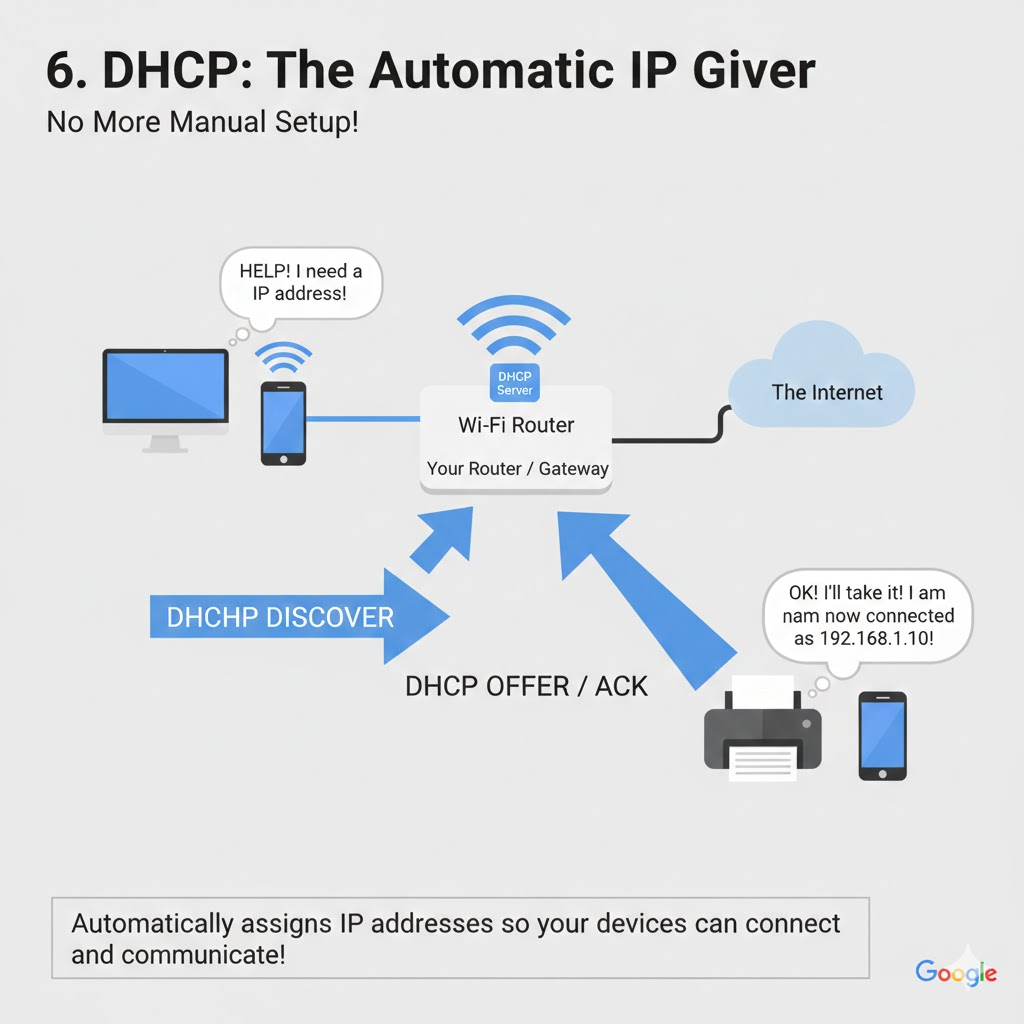
🧭 DHCP (Dynamic Host Configuration Protocol)
DHCP automatically assigns IP addresses.
When you connect to WiFi:
- Router gives IP automatically.
Example:
192.168.1.10
Without DHCP, we must manually configure IP.
🌍 DNS (Domain Name System)
DNS converts:
google.com → 142.250.x.x
Without DNS, we must remember IP addresses.
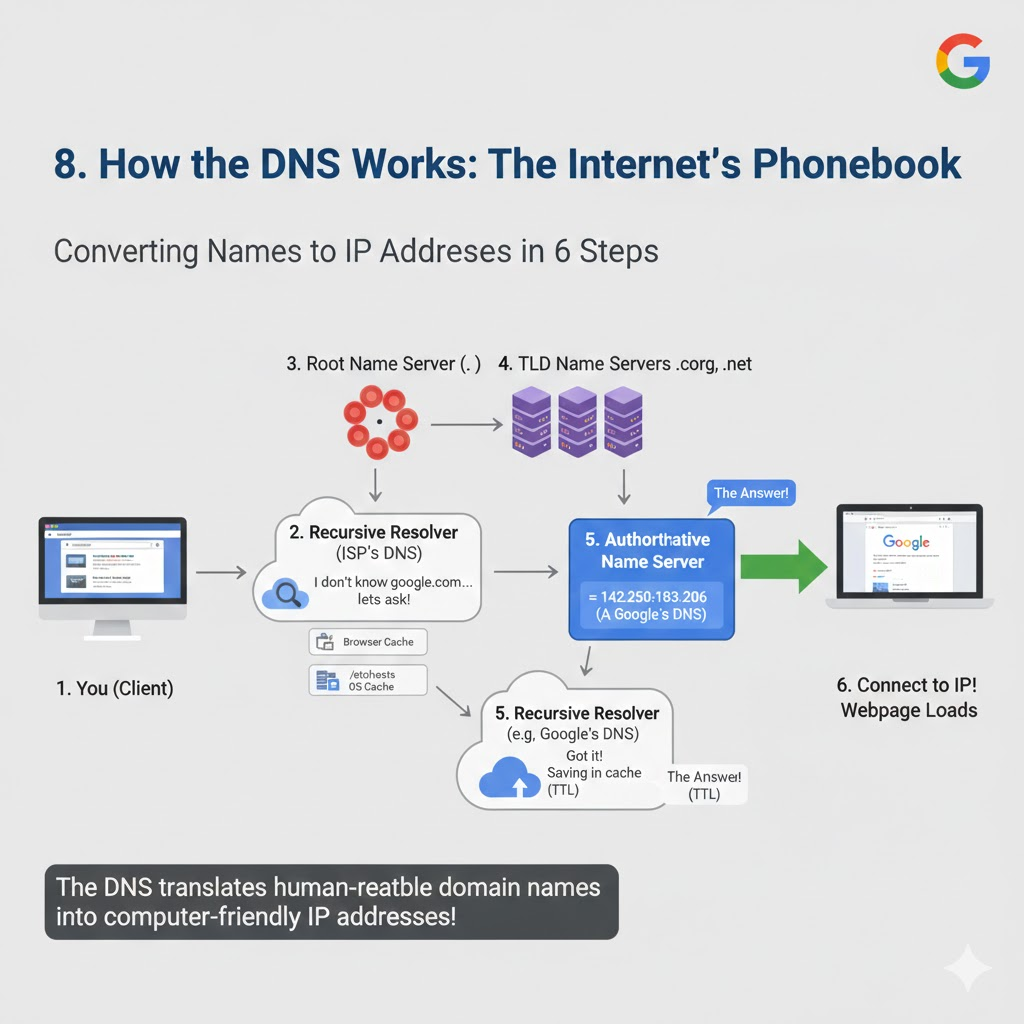
🔄 Complete Home Network Flow (Real-Time)
Your phone connects to WiFi
Router assigns IP via DHCP
You type google.com
DNS resolves IP
Router sends request to ISP
ISP routes to Google server
Server responds
Webpage loads
All in milliseconds ⚡
🛠️ Common Linux Networking Commands (With Real-Time Examples)
🌐 1️⃣ ip addr
📌 What it does:
Shows your IP address and network interface details.
ip addr
🧠 Real-time use:
Check:
Do I have an IP address?
Is my network interface up?
Example output:
inet 192.168.1.10/24
If no IP → DHCP problem.
🌍 2️⃣ ip route
📌 What it does:
Shows routing table and default gateway.
ip route
Example:
default via 192.168.1.1
🧠 Real-time use:
If internet not working, check:
- Is default gateway configured?
📡 3️⃣ ping
📌 What it does:
Checks connectivity between two devices.
ping google.com
🧠 Real-time troubleshooting:
Test | Meaning |
|---|---|
| Local system check |
| Check router |
| Check internet |
| Check DNS |
If 8.8.8.8 works but google.com doesn’t → DNS issue.
🛣️ 4️⃣ traceroute
📌 What it does:
Shows the path packets take to reach a server.
traceroute google.com
🧠 Real-time use:
Find where network is failing:
Local network?
ISP?
External server?
🔍 5️⃣ nslookup
📌 What it does:
Query DNS server manually.
nslookup google.com
Use specific DNS:
nslookup google.com 8.8.8.8
🧠 Real-time use:
Check if DNS server is responding.
🔎 6️⃣ dig
📌 What it does:
Advanced DNS lookup tool.
dig google.com
Check A record:
dig google.com A
Check MX record:
dig google.com MX
🧠 Real-time use:
Used by DevOps engineers for deep DNS debugging.
🔌 7️⃣ ss
📌 What it does:
Shows open ports and connections.
ss -tulnp
🧠 Real-time use:
Check:
Is service running?
Is port 80 open?
Is port 22 open?
🔐 8️⃣ netstat
netstat -tulnp
Used to:
Check listening ports
Check active connections
🔥 9️⃣ curl
📌 What it does:
Send a request to the server from the terminal.
curl google.com
Check API:
curl http://192.168.1.20:8080
🧠 Real-time use:
Check:
Is server responding?
Is website accessible?
🧱 🔟 telnet
📌 What it does:
Check if specific port is reachable.
telnet google.com 80
If connected → Port open
If connection refused → Port blocked
🌐 1️⃣1️⃣ arp
📌 What it does:
Shows MAC address mapping.
arp -a
Used when:
Local device not reachable
ARP issue suspected
🧪 1️⃣2️⃣ mtr (Advanced traceroute)
mtr google.com
Shows:
Live latency
Packet loss
📂 1️⃣3️⃣ Check DNS Config
cat /etc/resolv.conf
Shows:
nameserver 8.8.8.8
If wrong → DNS issue.
🧾 1️⃣4️⃣ Check /etc/hosts
cat /etc/hosts
Used for:
Manual DNS override
Local testing
🛠️ Real-Time Troubleshooting Flow
Let’s say:
❌ Website not opening
Follow this:
Step 1:
ip addr
Do you have IP?
Step 2:
ip route
Check default gateway.
Step 3:
ping 8.8.8.8
Internet working?
Step 4:
ping google.com
If fails → DNS problem.
Step 5:
dig google.com
Check DNS resolution.
Step 6:
curl google.com
Check HTTP response.
🎯 Quick Troubleshooting Table
Problem | Command to Use |
|---|---|
No IP |
|
No internet |
|
DNS issue |
|
Port blocked |
|
Service not running |
|
Wrong DNS |
|
Routing issue |
|
High latency |
|
🎯 Final Thoughts
If you understand:
Switch
Router
Gateway
Firewall
VPN
DHCP
DNS
VPC
You understand the foundation of networking and cloud.
This is the base for:
DevOps
Cloud engineering
Cybersecurity
System administration